%20--%3e%3cdefs%3e%3cstyle%3e%20.st0%20{%20fill:%20%23a5d028;%20}%20.st1%20{%20fill:%20%23fff;%20}%20.st2%20{%20fill:%20%231de2db;%20}%20.st3%20{%20fill:%20%2341bdf9;%20}%20%3c/style%3e%3c/defs%3e%3cg%20id='logo-unaice-line'%3e%3cpath%20class='st1'%20d='M143.3,36.1c-1.2,0-2.1-.9-2.1-2.1V12.2c0-1.2.9-2.1,2.1-2.1s2.1.9,2.1,2.1v21.8c0,1.2-.9,2.1-2.1,2.1ZM143.2,6.2c-1.3,0-2.4-1-2.4-2.4v-.8c0-1.3,1-2.4,2.4-2.4s2.4,1.1,2.4,2.4v.8c0,1.3-1.1,2.4-2.4,2.4Z'/%3e%3cpath%20class='st3'%20d='M23.7,36.1H2c-.5,0-1-.4-1-1V2.3c0-.5.4-1,1-1h21.7c.5,0,1,.4,1,1v32.9c0,.5-.4,1-1,1'/%3e%3cpath%20class='st2'%20d='M41.8,36.1h-14.4c-.5,0-1-.4-1-1v-14.5c0-.5.4-1,1-1h14.4c.5,0,1,.4,1,1v14.5c0,.5-.4,1-1,1'/%3e%3cpath%20class='st0'%20d='M41.8,17.9h-14.4c-.5,0-1-.4-1-1V2.2c0-.5.4-1,1-1h14.4c.5,0,1,.4,1,1v14.7c0,.5-.4,1-1,1'/%3e%3c/g%3e%3cpath%20class='st1'%20d='M196.4,29.2c-2.1,2.1-3.6,3.2-7.1,3.2s-7.4-2.3-8.2-7.4h16.7c2.7,0,2.9-1.9,2.7-4-.7-6.2-5.3-11.2-11.6-11.2s-12.3,5.1-12.3,13.4,5.4,13.3,12.6,13.3,8.3-2.6,10-4.3c1.8-2.1-1.2-4.7-2.8-3ZM188.9,13.7c4.7,0,7.3,4.1,7.6,7.3h-15.3c.7-4.3,3.4-7.3,7.7-7.3Z'/%3e%3cpath%20class='st1'%20d='M132.1,12.9c-1.9-1.9-5.4-2.9-8.2-2.9s-5.3.5-8.2,1.8c-2.4,1-.9,5,1.6,3.7,2.1-1,3.3-1.5,6.3-1.5s6.7,1.1,6.8,6.1c-1.8-.5-2.7-.8-6.9-.8-6.8,0-11.3,3.3-11.3,8.8s4.1,8.4,10.1,8.4,5.4-.6,8.3-2.9v.5c0,2.8,4.2,2.6,4.2,0v-13.8c0-3.1-.8-5.5-2.7-7.4ZM130.4,26.2c0,3.6-3.4,6.3-8,6.3s-5.9-1.7-5.9-4.6,2.5-4.6,6.8-4.6c0,0,4.8,0,7.1,1v1.9Z'/%3e%3cpath%20class='st1'%20d='M80,36.1c-1.2,0-2.1-.9-2.1-2.1V3.4c0-1.2,1-2.2,2.2-2.2h.4c.8,0,1.4.4,2,1.1l20.2,25.7V3.4c0-1.2.9-2.1,2.1-2.1s2.1.9,2.1,2.1v30.7c0,1.1-.5,2-1.9,2s-1.9-.8-2.2-1.2l-20.7-26.2v25.3c0,1.2-.9,2.1-2.1,2.1Z'/%3e%3cpath%20class='st1'%20d='M60.2,36.5c-5.1,0-10.5-4.3-10.5-10.7v-13.5c0-1.2.9-2.1,2.1-2.1s2.1.9,2.1,2.1v13.1c0,4.5,2.5,7.1,6.6,7.1s7.3-3.2,7.3-7.5v-12.7c0-1.2.9-2.1,2.1-2.1s2.1.9,2.1,2.1v21.8c0,2.8-4.2,2.7-4.2,0v-.5c-1.5,1.6-3.3,2.9-7.6,2.9Z'/%3e%3cpath%20class='st1'%20d='M163.8,36.5c-7.1,0-13.1-6-13.1-13.3s4.8-13.5,13.5-13.5c4.4,0,6.9,2,8.8,3.7,1.8,1.5-.8,5.1-2.8,3.3-.8-.8-3.3-3-6.4-3-4.8,0-8.6,4-8.6,9.2s3.8,9.3,8.6,9.4c3.7,0,4.9-1,7-3.1,1.6-1.8,4.6,1,3,2.8-3,3-5.7,4.5-10,4.5h0Z'/%3e%3c/svg%3e)

Introduction
A data model helps you store information in a clear and organized manner. It shows you how data in a database is related. Without a good data model, chaos quickly ensues. You won't be able to find anything, you'll have to do double the work, and you'll make mistakes.
Data modeling is particularly crucial in computer science. It ensures that your system runs smoothly. A good data model saves time and money. It lays the foundation for any type of software, whether it's an online store, CRM, or data warehouse.
In this article, we explain in simple terms what data models are. You will learn about the different types, why they are so important, and how modern tools such as uNaice's DataNaicer can help you organize your data chaos.
This will make your data architecture secure, stable, and easily expandable. Sound good? Then read on.
What is a data model? The simple definition
A data model is a representation of how data is organized. It shows which tables exist, which attributes (e.g., name, price, address) are stored, and how they relate to each other.
This is often referred to as a schematic representation. A data model therefore maps the real world in a system. It defines how information is stored, found, and used.
A good data model has clear structures. It reduces errors, saves time in data maintenance, and facilitates communication within the team. This way, everyone knows where which data is located. This is also important for later analyses.
Data models are everywhere. In relational databases, in Excel spreadsheets in Office, in online shops, or large data warehouses.
If you are interested in learning how data can be extracted and processed even more efficiently, you can also read our article on data extraction.

What types of data models are there?
When talking about data modeling, we often refer to different levels. There is not just one data model, but usually three levels. They help you to better understand and build data step by step.
1. The conceptual data model
The conceptual data model is the first step. It shows roughly what data is needed and how it is related in terms of content. Simple class diagrams are often used for this purpose.
This is not about technical details. It is only about what is important in terms of content. Example: Customers have addresses, products have prices. Nothing more. Such a conceptual model helps you break down a large topic into small parts.
2. The logical data model
Next comes the logical data model. This describes in more detail how the data should look in a database. For example, which fields there are, which primary keys make the rows unique, and what relationships exist between them.
The goal: a clear schema that can later be used in any software or relational database. Normalization (avoiding duplicate data) is also planned here.
You can find more information on this topic at Palladio Consulting.
3. The physical data model
The final step is to create the physical data model. Here, everything is implemented so that it runs on a specific system. For example, in an SQL database, where the data is stored in tables with rows and columns.
Indexes and storage locations are also defined here. This is important for efficiency, so that the data can be found quickly later on.
This ultimately results in a data model that you can then use for your data analysis, your website, or your shop. It is the result of clear development and planning.
This three-step process helps you to structure your data in a structured way. From the initial idea to the finished data architecture.
If you want to know how this works for classifications according to the ETIM standard, take a look at our article on the ETIM standard and classification.
Problems without a good data model – and what that means in practice
A poor data model, or no data model at all, often leads to chaos. In practice, this means that data is incomplete, duplicated, or incorrect. This makes work slow and error-prone.
Poor data quality costs time and money
If you don't have a clear structure, the quality of your data suffers. Specialists have to constantly search, compare, and correct. Often, no one knows which version of the data is currently up to date. This eats up time and blocks your software development.
In large projects, this can be disastrous. Imagine you have a relational data model, but no one has documented exactly how it is structured. Then every developer does something different. In the end, nothing fits together anymore.
Storage chaos instead of clear storage
Without a clean model, storage is also a problem. Data ends up somewhere other than where it belongs. When reports are then generated later, the figures are often incorrect. This causes stress throughout the entire group or department.
A semantic data model helps here because it not only stores data, but also explains what it means. This is important so that everyone understands what they are using.
No clear documentation = high effort
Another problem is the lack of documentation. If you don't write down clearly what your data model looks like, you'll have a lot of work to do later. New employees have to painstakingly figure everything out for themselves. This is how errors creep in.
This is a particular risk when creating new applications or interfaces. Everyone then has to understand how the data is structured again. This takes a long time and costs money.
Data without optimization slows down the development of your company
Without optimizing your data, everything runs slower. The database takes longer to find data. Your website or shop loads more slowly. Your customers wait—and quickly leave.
This shows how important a well-designed data model is for using your data. Only then can you properly implement modern topics such as AI or automation later on.
If you are interested in the topic of data mapping and integration, you can find out more here: Data mapping for data migration and integration.
How DataNaicer automatically improves your data model
Building a good data model often takes a lot of time. Especially when data comes from different databases and information systems, data modeling quickly becomes complicated. Clear rules are needed to ensure that everything fits together later on.
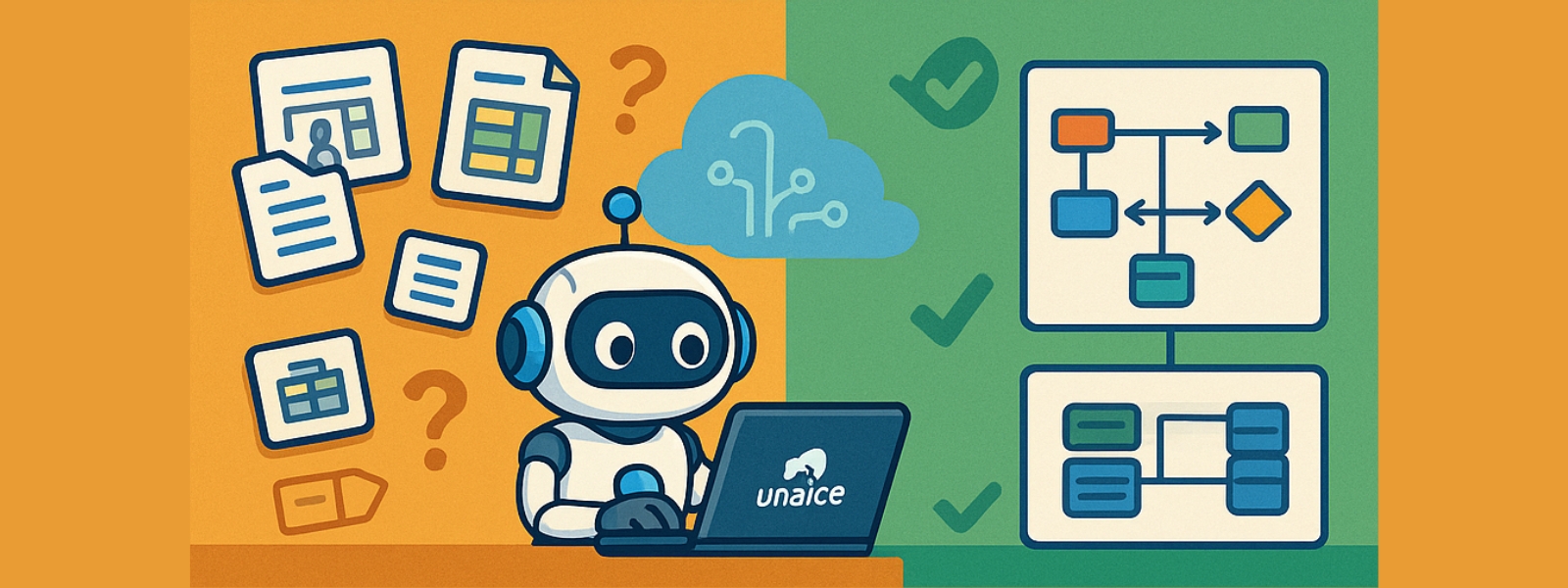
This is where uNaice's DataNaicer comes in. It uses artificial intelligence to automatically read unstructured information and turn it into a clean model. It recognizes tables, tuples, foreign keys, and the relationships between them. This creates a clear data structure.
This saves a tremendous amount of time during creation and makes later use much easier. Everyone on the team has a common understanding of how the data is structured. This is also important for analyses or new software.
The result: Your data model is clearly documented and easy to maintain. This keeps your data management stable and efficient. You can find more information on how to extract information from texts here: Information Extraction & Entity Relation.
If you want, you can find out more about data modeling here at IBM.
Practical application: Data Modeling at a wholesaler
What does data modeling look like in practice? Here is an example: A leading wholesaler of home technology was faced with the task of clearly structuring millions of pieces of product data. Without a clear model, this would have been impossible.
Thanks to DataNaicer, the retailer was able to automatically create a uniform data model. The AI recognized keys, sorted data types, and created a precise representation of the data structure. The result was a diagram that showed at a glance how products, categories, and attributes relate to each other.
Even complex issues such as dimensional data modeling and notation were solved automatically. This saved a tremendous amount of time and ensured high quality data. The entire implementation took only weeks instead of months.
In the end, the team had a clear solution that was easy to maintain. This turned many confusing individual parts into a stable whole that was perfectly suited for the further development of the shop, CRM, and marketing.
You can delve deeper into the topic of DataOps and automation here: DataOps: Definition & Benefits.
Conclusion: Automate data modeling intelligently
Good data modeling is the foundation of any digital success. It creates order, saves time, and prevents errors. Whether simple relations or complex model types – a clean data model brings everything together.
Tools such as DataNaicer greatly simplify this work. It takes care of the modeling, ensures the correct identification of keys, and automatically creates a flexible, future-proof model.
This transforms laborious manual work into an efficient, AI-supported data architecture that makes your systems stable and fast.
If you want to know more about how to systematically read data, read on here: Data extraction: definition & process.