%20--%3e%3cdefs%3e%3cstyle%3e%20.st0%20{%20fill:%20%23a5d028;%20}%20.st1%20{%20fill:%20%23fff;%20}%20.st2%20{%20fill:%20%231de2db;%20}%20.st3%20{%20fill:%20%2341bdf9;%20}%20%3c/style%3e%3c/defs%3e%3cg%20id='logo-unaice-line'%3e%3cpath%20class='st1'%20d='M143.3,36.1c-1.2,0-2.1-.9-2.1-2.1V12.2c0-1.2.9-2.1,2.1-2.1s2.1.9,2.1,2.1v21.8c0,1.2-.9,2.1-2.1,2.1ZM143.2,6.2c-1.3,0-2.4-1-2.4-2.4v-.8c0-1.3,1-2.4,2.4-2.4s2.4,1.1,2.4,2.4v.8c0,1.3-1.1,2.4-2.4,2.4Z'/%3e%3cpath%20class='st3'%20d='M23.7,36.1H2c-.5,0-1-.4-1-1V2.3c0-.5.4-1,1-1h21.7c.5,0,1,.4,1,1v32.9c0,.5-.4,1-1,1'/%3e%3cpath%20class='st2'%20d='M41.8,36.1h-14.4c-.5,0-1-.4-1-1v-14.5c0-.5.4-1,1-1h14.4c.5,0,1,.4,1,1v14.5c0,.5-.4,1-1,1'/%3e%3cpath%20class='st0'%20d='M41.8,17.9h-14.4c-.5,0-1-.4-1-1V2.2c0-.5.4-1,1-1h14.4c.5,0,1,.4,1,1v14.7c0,.5-.4,1-1,1'/%3e%3c/g%3e%3cpath%20class='st1'%20d='M196.4,29.2c-2.1,2.1-3.6,3.2-7.1,3.2s-7.4-2.3-8.2-7.4h16.7c2.7,0,2.9-1.9,2.7-4-.7-6.2-5.3-11.2-11.6-11.2s-12.3,5.1-12.3,13.4,5.4,13.3,12.6,13.3,8.3-2.6,10-4.3c1.8-2.1-1.2-4.7-2.8-3ZM188.9,13.7c4.7,0,7.3,4.1,7.6,7.3h-15.3c.7-4.3,3.4-7.3,7.7-7.3Z'/%3e%3cpath%20class='st1'%20d='M132.1,12.9c-1.9-1.9-5.4-2.9-8.2-2.9s-5.3.5-8.2,1.8c-2.4,1-.9,5,1.6,3.7,2.1-1,3.3-1.5,6.3-1.5s6.7,1.1,6.8,6.1c-1.8-.5-2.7-.8-6.9-.8-6.8,0-11.3,3.3-11.3,8.8s4.1,8.4,10.1,8.4,5.4-.6,8.3-2.9v.5c0,2.8,4.2,2.6,4.2,0v-13.8c0-3.1-.8-5.5-2.7-7.4ZM130.4,26.2c0,3.6-3.4,6.3-8,6.3s-5.9-1.7-5.9-4.6,2.5-4.6,6.8-4.6c0,0,4.8,0,7.1,1v1.9Z'/%3e%3cpath%20class='st1'%20d='M80,36.1c-1.2,0-2.1-.9-2.1-2.1V3.4c0-1.2,1-2.2,2.2-2.2h.4c.8,0,1.4.4,2,1.1l20.2,25.7V3.4c0-1.2.9-2.1,2.1-2.1s2.1.9,2.1,2.1v30.7c0,1.1-.5,2-1.9,2s-1.9-.8-2.2-1.2l-20.7-26.2v25.3c0,1.2-.9,2.1-2.1,2.1Z'/%3e%3cpath%20class='st1'%20d='M60.2,36.5c-5.1,0-10.5-4.3-10.5-10.7v-13.5c0-1.2.9-2.1,2.1-2.1s2.1.9,2.1,2.1v13.1c0,4.5,2.5,7.1,6.6,7.1s7.3-3.2,7.3-7.5v-12.7c0-1.2.9-2.1,2.1-2.1s2.1.9,2.1,2.1v21.8c0,2.8-4.2,2.7-4.2,0v-.5c-1.5,1.6-3.3,2.9-7.6,2.9Z'/%3e%3cpath%20class='st1'%20d='M163.8,36.5c-7.1,0-13.1-6-13.1-13.3s4.8-13.5,13.5-13.5c4.4,0,6.9,2,8.8,3.7,1.8,1.5-.8,5.1-2.8,3.3-.8-.8-3.3-3-6.4-3-4.8,0-8.6,4-8.6,9.2s3.8,9.3,8.6,9.4c3.7,0,4.9-1,7-3.1,1.6-1.8,4.6,1,3,2.8-3,3-5.7,4.5-10,4.5h0Z'/%3e%3c/svg%3e)

Data is at the heart of modern businesses. It helps us make decisions, optimize processes, and develop our business. But the more information you collect, the more difficult it becomes to keep track of everything—especially if you organize everything in Excel or scattered files.
The solution? Your own database. It provides structure, clarity, and control—whether you're managing customer data, coordinating projects, or systematically recording products. In this article, we'll show you how to create your own database step by step—easily, securely, and flexibly.
We will not only discuss traditional methods such as MySQL or Microsoft SQL Server, but also introduce you to a modern alternative: DataNaicer – an AI-supported solution that allows you to automatically build data models and use them directly for your application.
You will learn:
Whether you're a tech-savvy founder, looking for a tool for your team, or simply need a better overview, this article will give you a solid foundation for building a powerful and secure database.
In the end, you will not only have an overview of the most popular databases, but also the opportunity to get started right away—with the system that best suits your goals.
Why you need your own database today
Today, data is more than just information—it is the raw material for quick decisions, efficient processes, and clear communication within a company. Many teams start with a simple Excel spreadsheet. This is often sufficient at the beginning. However, as soon as different employees start working on content at the same time, different versions start circulating, or the data structure becomes more complex, you will reach your limits.
Having your own database solves precisely this problem. It provides a central system for reliably storing, linking, and retrieving information as needed. According to a study, small businesses in particular benefit from the clear organization that such a system brings. Contrary to popular belief, setting up a database is no longer a purely technical project. Anyone setting up a new database today does not have to start with SQL code. There are tools that already think along with you when creating the table structure—some automatically recognize which rules and relationships make sense and suggest them. This means that even an empty database can be turned into a functioning system in a short time. According to a study by BARC, 81% of companies say that decisions have been measurably improved by better data structure.
This guide from Microsoft provides an example of initial guidance, showing how classic database creation works—albeit manually and technically. If you are looking for a solution that is designed for efficiency from the outset, there are now modern alternatives available. Some of these analyze your existing information and structure it automatically – without you having to start with database technology or complex code.
This can save a lot of time, especially for those who work with data regularly, for example for reports and evaluations. This also applies if you don't have an IT background. And that's exactly where the difference lies today: it's not just whether you have a database, but how quickly you can adapt it to your needs.
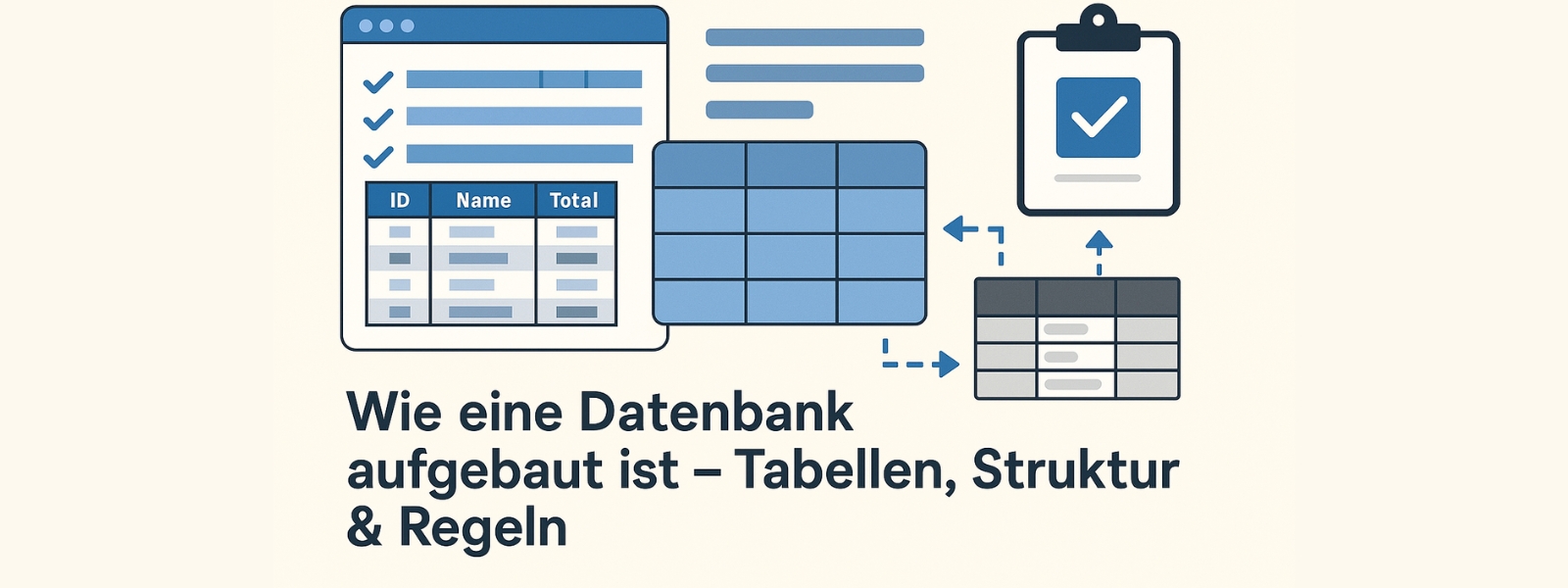
How a database is structured – tables, structure & rules
Before you start creating your database, you should understand how it is structured – and what distinguishes it from a simple table in Excel. A relational database is more than just a collection of data: it ensures that your information is structured in clear tables, with clear relationships and fixed rules.
The most important unit is the table. It stores similar data—such as customers, products, or invoices—in columns and rows. Each table has its own function and is not isolated, but linked to other tables via so-called relations. This structure is the foundation of your database—and ensures that you can find, filter, and insert the right information at any time.
In addition to classic relational databases such as MySQL, PostgreSQL, Oracle Database, and the widely used Microsoft SQL Server, there are now many user-friendly systems that can help you create your new database—for example, visual editors such as Access or cloud-based solutions such as Ninox or Airtable. They often offer templates, predefined fields, and help with setup, even without in-depth prior knowledge.
But beware: these systems also require conceptual preparation. You should determine in advance
Choosing the right software therefore depends not only on the technology, but also on the number of users, the desired degree of flexibility, and the planned use. In our article on content organization, we take a closer look at structural decisions—what applies to content there also applies to data here.
Especially for smaller companies, it can make sense to rely on a service that helps you structure your data using automation. Such tools analyze your information, recognize patterns, and suggest suitable fields and database types—instead of defining them manually. This not only saves time, but also avoids typical errors in installation or documentation.
If you're not sure how to get started, the Webhoster.de guide to database creation provides a solid basic understanding of the classic structure of a MySQL database. Even if you don't have to do everything manually, this knowledge will help you to realistically assess the availability, performance, and accessibility of your database later on.
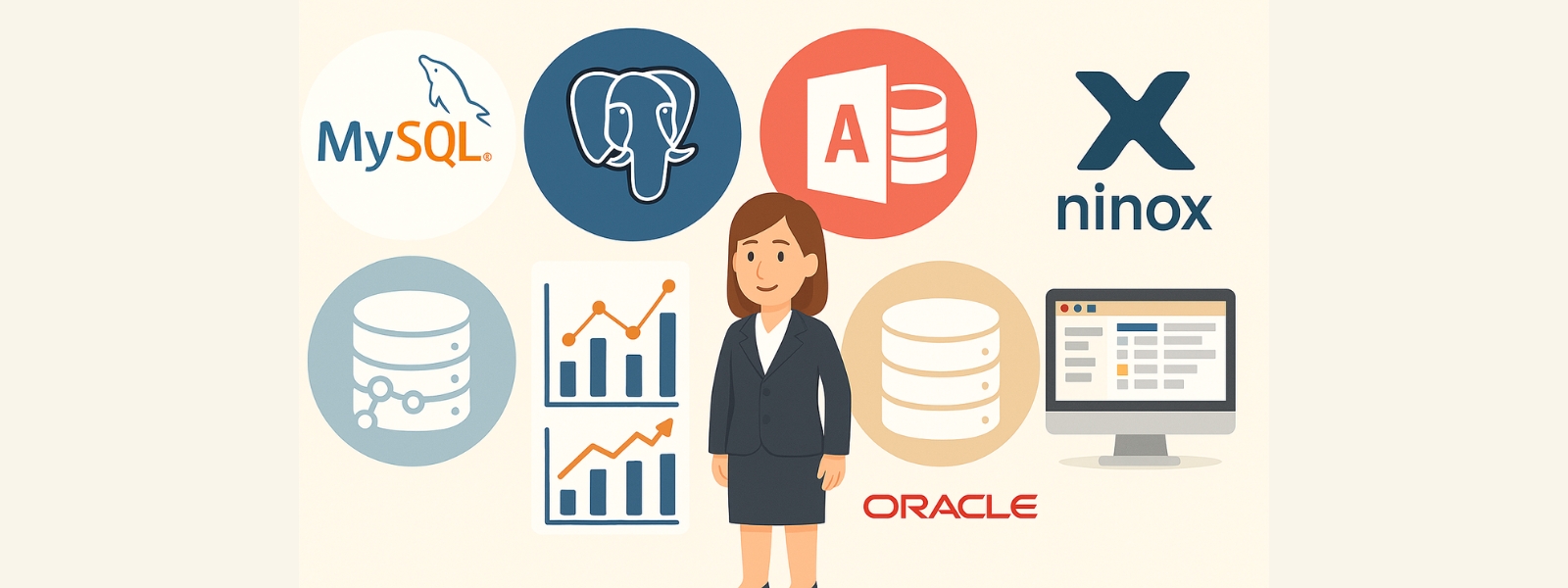
Comparison of the most popular databases – advantages and areas of application
Anyone who wants to create a database is quickly faced with the question: Which software is the right one? The selection is vast – from free tools to complex enterprise solutions. Here is an overview of the most commonly used systems and their advantages.
MySQL – the open-source classic for structured data
MySQL is one of the best-known relational databases. It is particularly suitable for websites, shops, and CRM systems. The structure is clearly tabular, data can be neatly linked, and thanks to numerous tutorials, even beginners can use it. MySQL is also a free database with a large community and stable performance, which is why it has become the standard solution in many companies.
PostgreSQL – powerful, open, and highly scalable
PostgreSQL offers many features that are only possible with extensions in MySQL. If you want to map complex data structures, process large amounts of data, or cover individual requirements, this is a powerful platform with a high degree of adaptability. The focus is on accuracy, performance, and the ability to store geodata or JSON structures. PostgreSQL is becoming increasingly relevant in modern projects, especially in the cloud sector.
Microsoft Access – Getting started with Office
Access is a classic choice for many small teams. It is part of Microsoft Office and allows you to create a database even without programming knowledge. Getting started is easy: tables, forms, and queries can be designed using drag & drop. Importing Excel data is also straightforward. However, Access has its limitations – when it comes to multiple simultaneous users, recovery, data security, or large amounts of data. However, it remains popular for very simple applications or for initial data entry – Microsoft itself offers step-by-step instructions here.
Oracle Database – stable, scalable, but costly
Oracle Database is often used in large companies – for example, for ERP systems, financial and health data. It is extremely robust, offers maximum performance, sophisticated security measures, automatic scaling, and sophisticated optimization options. The downside: installation is complex and the price is high. For many smaller companies, Oracle is therefore only interesting in very specific cases.
Ninox – modern database for non-programmers
If you want to avoid programming, Ninox is a modern alternative. The software runs in a browser, via an app, or locally – and impresses with its intuitive interface, templates, and direct collaboration within teams. Fields can be flexibly customized, data can be easily inserted or imported from Excel, and automatic backups are also possible. This is ideal for small businesses with many recurring processes. You can also find a field report in our article on digital tools in everyday life.
Practical tip: If you don't yet know which solution best suits your project, you can experiment with several tools. Many of them offer a free trial period or can be set up locally. It's important to clearly define your requirements—and then make the choice that suits your project, your team, and your desired availability.

Choosing the right software – what small businesses should look out for
Many companies start out with the goal of creating a simple database – but quickly end up in a jumble of tables, tools, and decisions. Choosing the right software is often more important than the technology itself.
Not every solution is suitable for every organization. The requirements of small businesses, start-ups, or solo self-employed individuals differ greatly from those of a corporation with its own IT department. So it's not about finding the “best” solution, but rather the one that fits your data, processes, and workflows.
A key criterion is availability: Should your database run locally, in the cloud, or hybrid? Local systems such as Access or FileMaker can be launched quickly, but often offer less flexibility when multiple people need to access the data at the same time or when real-time collaboration is required.
Cloud-based platforms such as Ninox or Airtable enable exactly that—they were built for modern teams. Not only do they allow access from anywhere, but they also offer many options for automated processes, recovery, role distribution, and connection to external tools. This is a clear advantage for many companies—especially at a time when accessibility, security, and rapid optimization are playing an increasingly important role.
Another increasingly important criterion is the ability to implement processes without your own developers. Tools that provide suggestions during setup, use AI to recognize relationships, or assist with management and modeling not only lower the barrier to entry, but also help to avoid typical setup errors. This is where our article on automation in marketing comes in – because what applies to content also applies to database logic.
At the latest when you want to work with different data sources, import data regularly, link it automatically, or display it in dashboards, a flexible tool pays off. Look for features such as:
Ultimately, what matters is not whether you use an off-the-shelf solution, but whether it allows you to better map your internal processes without having to delete and rewrite the database structure every time you add a new field.
Modern database software has long been more than just a place to store data. It is a system for data management, process mapping, and, for many companies, the backbone of productivity. This makes it all the more important not to leave the choice to chance.
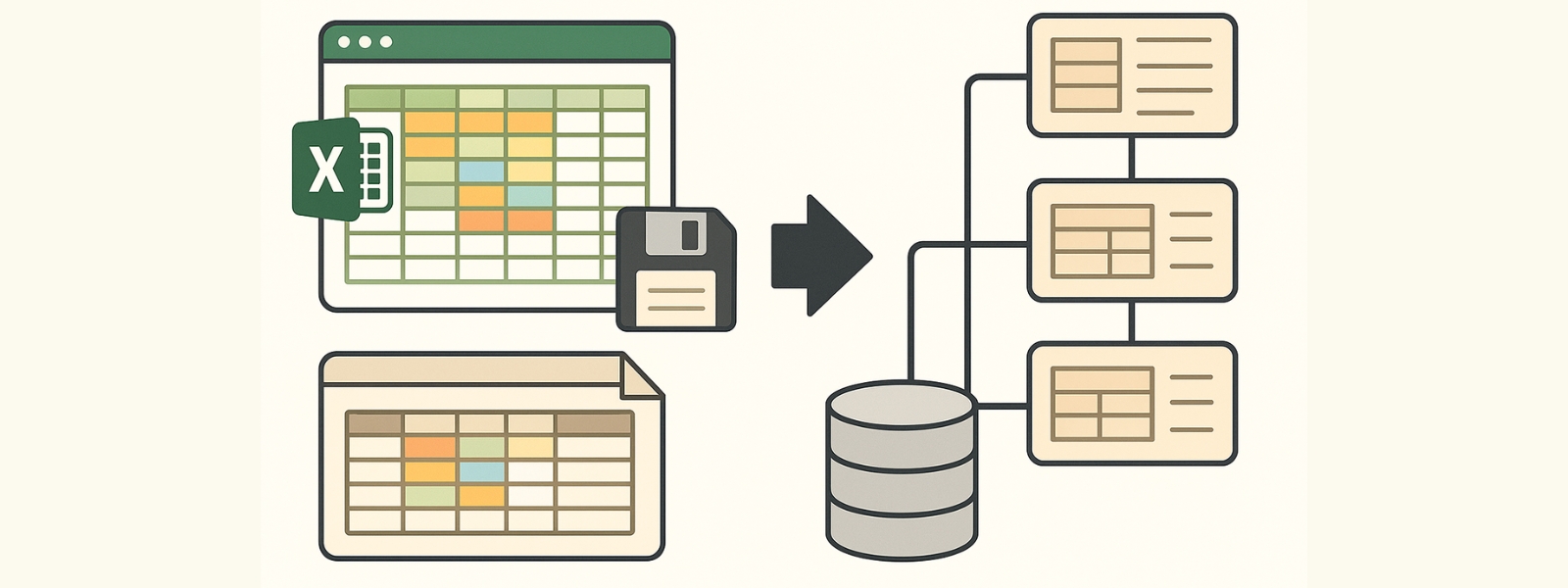
Importing data in practice: From Excel & Access to a structured database
Almost every project starts with a file. Sometimes it's an Excel spreadsheet, sometimes an export from Access, sometimes a wild mix of both. At first glance, everything looks complete – columns, values, maybe even categories. But as soon as you try to create a clean database from it, the real challenge begins.
In practice, it often looks like this: columns are missing, terms are spelled differently, product names appear twice. Some entries have 15 attributes, others 80 – but no two rows are the same. And when you try to import the whole thing, you get error messages or unusable results.
This can be a real problem, especially with larger amounts of data. The number of possible combinations increases the more product variants, units of measurement, or descriptions are included. Classic tools such as Access or MySQL expect clear rules – for example: “This column always contains the color.” But what if “red” is sometimes ‘Red’ and sometimes “#FF0000”? What if units of measurement are missing or mixed?
This is where DataNaicer comes in. The solution was developed specifically for these types of challenges. Instead of rigid rules, the system follows a hybrid approach combining rule-based procedures and AI models. This means that if your data structure is inconsistent or only partially standardized, the platform recognizes recurring patterns and helps you automatically convert them into structured data.
A typical example: You have an Excel file with 500 products, each with 50 attributes. Some are neatly filled in, others contain free text. DataNaicer recognizes these fields, groups them logically, and suggests a clear table structure—which can be inserted directly into a usable database.
For you, this means less manual work, fewer errors, and fewer worries. Instead of checking each column manually, you get a validated basis—including the option to use your data later for automated text creation.
Of course, this does not replace every process. For particularly sensitive information or in areas with high security requirements, you still need clear control mechanisms. But as a starting point – especially with heterogeneous data sources – this solution offers you a reliable bridge between chaotic reality and structured database management.
If you regularly work with large amounts of data and rely on classic tools such as Access, you will sooner or later reach your limits. Whether it's a lack of performance, inconsistent formats, or import problems, it's not the file that plays the decisive role, but what you do with it.
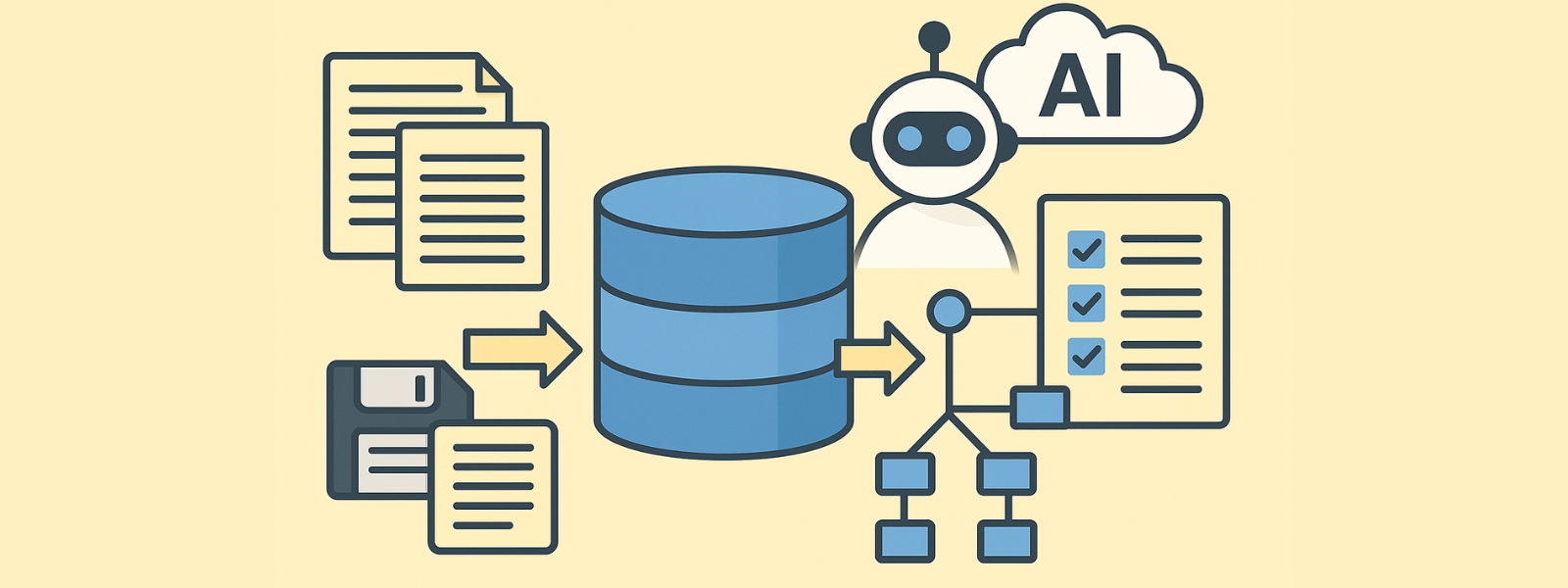
How DataNaicer works – from chaos to solution
The starting point is almost always the same: you have a lot of data, but no clear structure. Sometimes it comes from Excel, sometimes from Access, and often it is formatted differently or contains free text. Creating a database under these conditions is tedious.
DataNaicer was developed precisely for situations like this. The tool is not a traditional software program, but rather a combined approach consisting of managed services and intelligent data logic. You provide us with a file—e.g., a large CSV file containing product data—and we help you turn it into a usable database structure.
How does it work in practice?
How does it differ from conventional tools?
Many traditional tools, including MySQL and Access, rely on a perfect initial structure. DataNaicer, on the other hand, recognizes disorder—and helps to fix it. It is a solution for real projects, not just a technical solution for developers.
This is particularly advantageous for large or changing data sets. Manual post-processing is largely eliminated—optimization takes place directly in the system. This saves resources, reduces errors, and ensures better results.
Whether you want to create a new database, generate text automatically, or prepare your product data for your online store, the reason many projects stall is often not due to technology—it's due to data. This is exactly where this approach comes in.

Security, quality, and support: Why a managed service makes all the difference
Creating a database is one thing. Operating it securely and reliably in the long term is another. That's precisely why many companies opt for a managed service such as DataNaicer rather than a traditional software solution.
Why is this important?
In many cases, errors do not occur during setup, but during ongoing operation. Fields are filled in incorrectly, new product data is incomplete, or formats creep in that disrupt the entire system. Those who only have one tool then face new challenges.
A managed service not only takes care of the initial structuring, but also provides ongoing support. This means:
In addition, there is a quality assurance process that monitors standards. This ensures that technical terms are used correctly, tone is maintained, and sensitive data is handled appropriately. If necessary, content is even edited manually.
Security & control – even without your own IT
Security plays a crucial role, especially in sensitive projects. DataNaicer meets modern requirements for encryption, access controls, and interface management. At the same time, you can decide how much control you want to have yourself:
Do you want to check all entries? Or would you prefer automation that you only approve occasionally?
Regular backups and automatic recovery options are also part of the service—so you don't have to worry about security and data retention yourself.
More than technology: collaboration with real people
You don't just get a tool, you get real help: contact persons, feedback loops, and a community that shares best practices. You can communicate changes to your requirements directly—and receive customized solutions.
This creates a partnership: you use a powerful, automated solution—without having to do everything yourself. At the same time, you remain flexible and can intervene whenever you want.
Whether you want to create a new database, maintain existing data, or improve your processes, this approach combines technical strength with human support.

Demo, getting started & next steps: Create your own database
Do you have a lot of data but no solution yet? Do you want to create a database that suits your business without spending hours programming or struggling with half-finished tables?
Then now is the right time to see how DataNaicer works in practice. With a free demo, you can upload your data directly—from Excel, Access, or as CSV—and see how the system automatically recognizes, structures, and prepares it.
Within minutes, you'll receive suggestions for a meaningful data structure. You can choose which fields you want to keep, how you want to name them, and how you want to integrate them into your future database. Whether for product data, marketing content, or technical specifications—you're in control, we provide the structure.
Even if you already work with tools such as MySQL or have more complex requirements, Naicer helps you link data sources efficiently. And if you're still unsure, our team will be happy to help you find the right way to get started.
Getting started is easy – here's how it works:
If you want to know more about how companies like yours can achieve better results with structured data, you can find further insights in our article on data modeling.
And if you're still unsure whether your data is suitable, you can start a test project at any time. The best results often come when we work with you to find out how your data can be used most effectively—whether it's structured, chaotic, or somewhere in between.
Flat rate in value – clear limits in operations
No SKU cost trap: SKUs are an orientation band, not the price driver. Upgrade levers are complexity, automation, and operational responsibility.
Flat rate instead of cost trap – with clear entitlements
Customers should not be penalized for every SKU. At the same time, more users, projects, integrations, automation, and support are deliberately modeled as upgrade paths.
Platform license
Workspace, users, projects, modules, and core functions
Data processing volume
Fair-use capacity band – not a hard SKU price
Automation & integration
Upload/download as entry point, API & PIM/ERP as premium
Managed service
Consulting, ontology work, QA, and process evolution
Basic Data
SKUs only orient package sizing. More complexity scales via users, projects, API, integrations, and managed service – not linearly per article.
The first 2 languages are included in the selected plan. Only additional languages are charged separately.
Assisted Setup
Data modeling is included as a license capability. If you want help with setup and modeling, only this one-time service is charged.
Help with setup
Optional – no additional setup cost without assistance.
Additional Options
Expand your solution with powerful add-ons
PDF Import
Extracts the information contained in PDFs — as a basis for attribute extraction, text generation, and more.
149 € /per month
AI Extraction
Automatically extract product attributes from data sources and review the results.
299 € /per month
Data Modeling / Ontology
AI-supported feature to quickly generate an ontology based on your product data.
199 € /per month
Data Modeling
Model product data and generate product content from structured data.
Included in base plan
Content Generation Engine
Create product descriptions and validate generated content quality.
199 € /per month
Translation
Translates the data model or ontology you create or upload in the DataNaicer.
99 € /per month
Web Search Enrichment
Enrich product data with additional researched information.
149 € /per month
POI Enrichment
Enrich location or hotel-related datasets with nearby points of interest.
99 € /per month
Flat rate instead of SKU trap.
Classic providers charge more every month for every new SKU you add. uNaice doesn't — your monthly price stays constant. Maximum predictability for your CFO.
 DataNaicer Flat Rate
When your assortment grows to 80k SKUs you save vs. classic providers:
Savings / month
3.721 €
Savings / year
44.652 €
Flat Curve
Plannable
Scalable
Your Calculation
Based on your inputs
One-time Costs
Monthly Costs
Your running costs
First year (incl. one-time setup):
All prices excl. VAT • Custom offers on request

FAQ: Frequently asked questions about database creation
At uNaice, we are happy to support you in optimizing your data structures and automating your data processes.

ContactGet in Touch with Us!
Have questions? We look forward to hearing from you.
External content: Contact form
This content is loaded from involve.me. Doing so transfers data such as your IP address to that provider, so we only load it once you agree.